HubSpot Subscription Auto Cancel (via order import)
When a cancellation date is updated in HubSpot, this workflow automatically:
- imports the cancellation date into an order record
- updates associated subscriptions with
subscription_status=canceled
- updates subscription
end_date from the order property
- stops billing from the day after the cancellation date
The goal is to remove manual cancellation handling and make billing behavior consistent.
Setup
How It Works
Automated setup for cancellation sync
Configure order import, subscription updates, and billing stop rules in one flow.
1
Prepare HubSpot and order properties
- Create
subscription_cancellation_date (date) on HubSpot Deal.
- Create an order date property in Sanka for imported cancellation date.
- Map the HubSpot property into the Sanka order property during import.
2
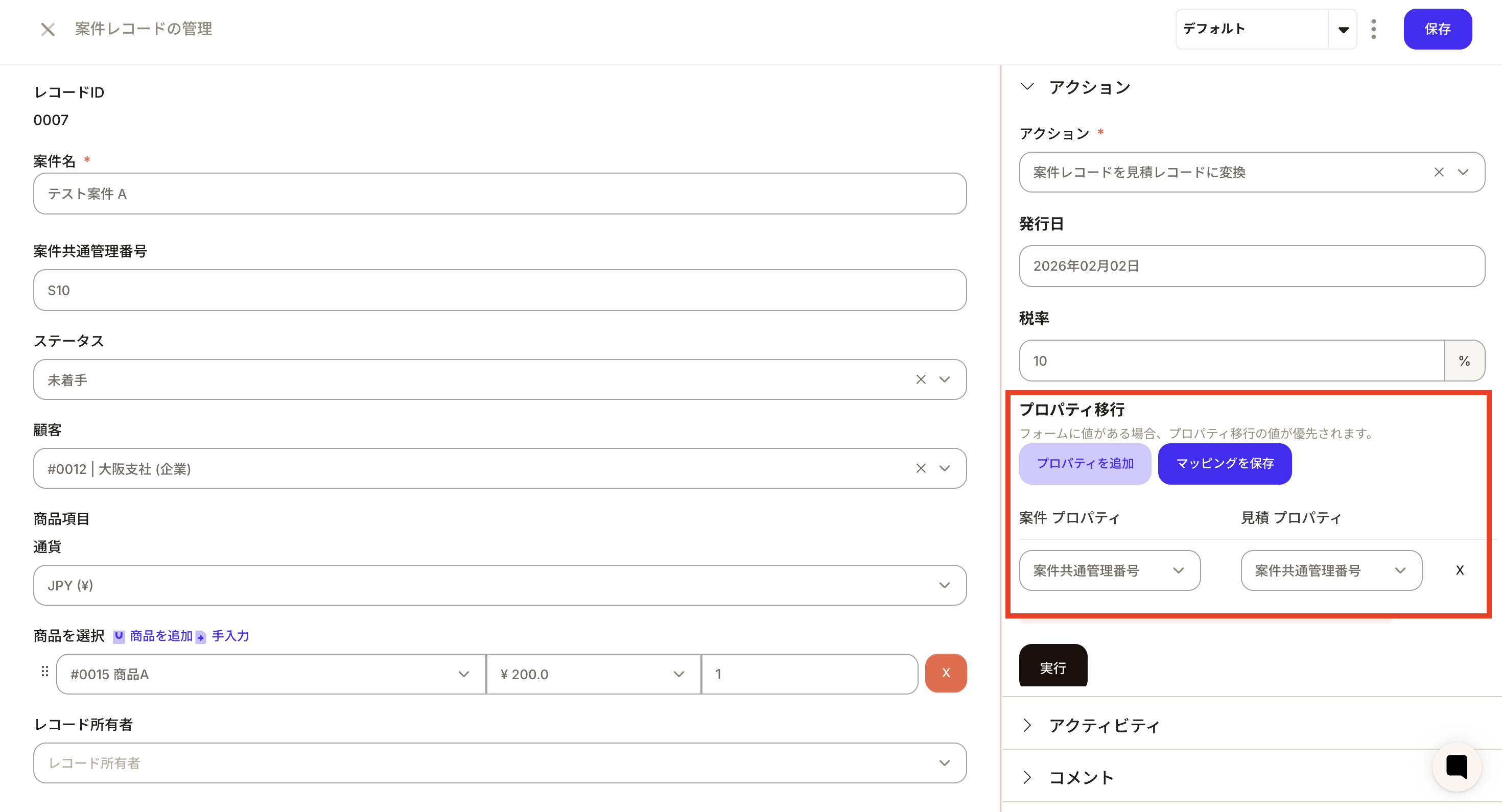
Configure workflow for associated subscription updates
- Set trigger to order creation/import.
- Add action to update associated records.
- Set association to
Order -> Subscription.
- Set properties:
subscription_status to fixed value canceledend_date mapped from order cancellation date.
3
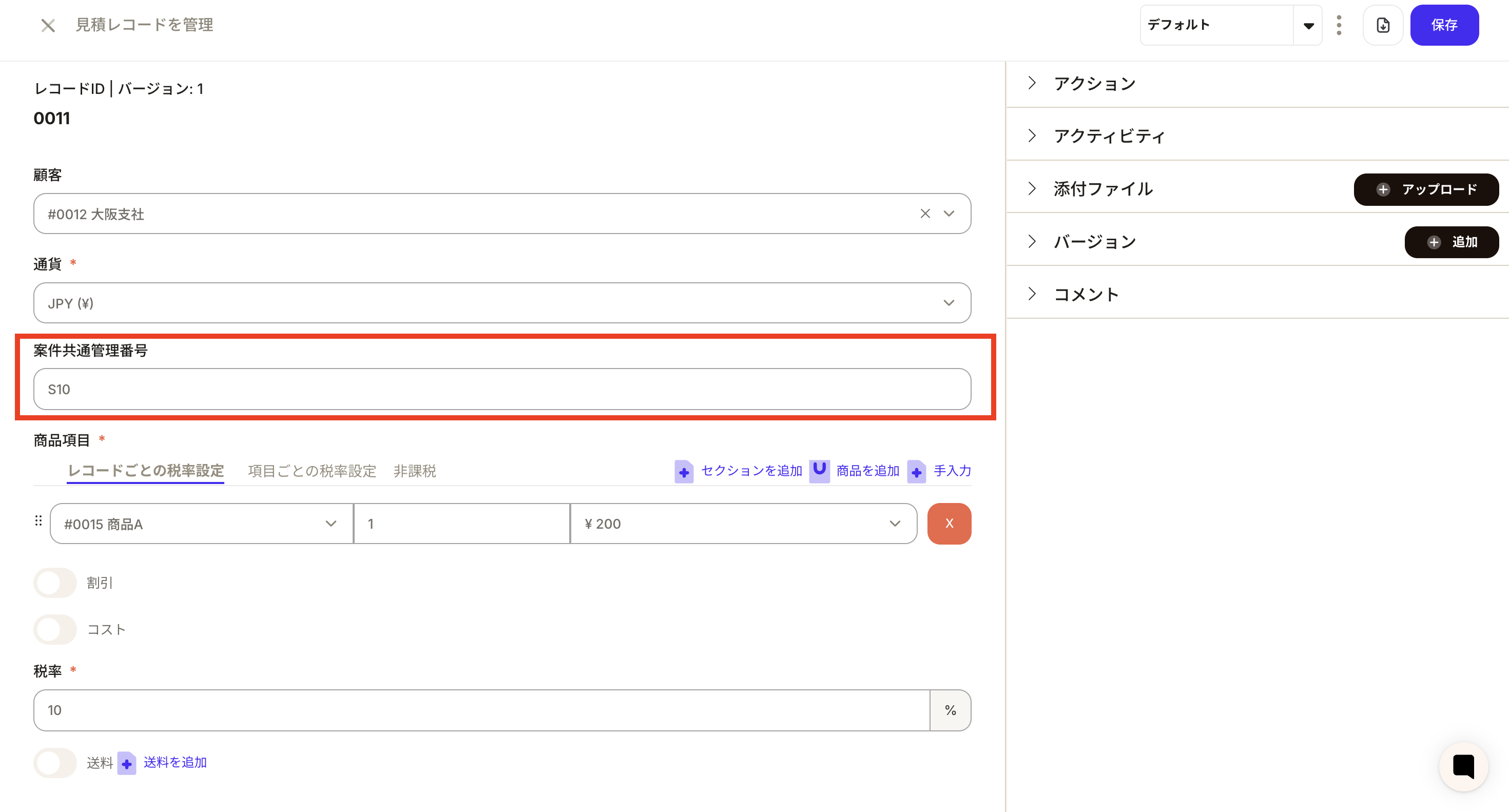
Validate reflection
- Import a test deal and verify values are synchronized.
- Check the imported cancellation date on the order.
- Verify associated subscriptions are set to
subscription_status=canceled.
- Verify
end_date equals the cancellation date.
4
Confirm next-day billing stop rule
- Example: if cancellation date is
2026-03-31
- Billing is still allowed on
2026-03-31.
- Billing is blocked from
2026-04-01 onward.
- If cancellation date is cleared,
end_date is cleared and billing schedule can resume.
Results and value
| Impact |
Detail |
| Standardized cancellation flow |
HubSpot update propagates through order and subscription layers |
| Billing incident prevention |
Next-day stop rule is explicit and consistent |
| Lower manual workload |
Less manual status/date update work |
| Better auditability |
Workflow runs provide clear traceability |
Related pages